Activate and configure Emergency Assignments
App-/Server: 2.8.0+
This feature allows technicians to create their own assignments in the app. This can be particularly useful for spontaneous tasks that could not be planned in advance by a dispatcher.
First, activate and configure the feature in the Admin Console under  in the
  section:
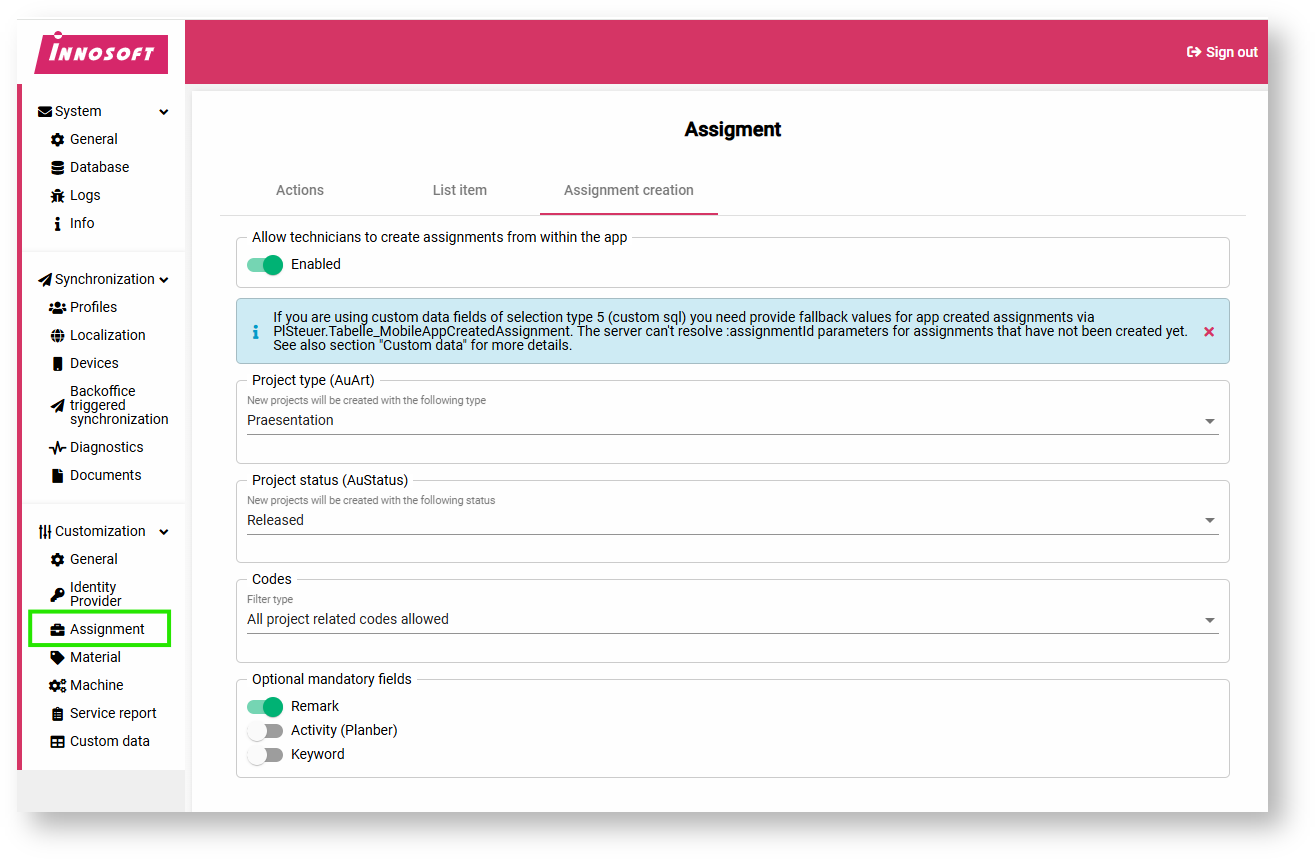
A new project is created for each assignment. Please configure here which order type and order status should be used.
The order status determines whether the technician is allowed to make changes in the head office (AuStatus.Customer=1 and AuStatus.Planning=1). Please be aware of this if you change the status retrospectively in the project planning.
Only assignments created by the app may be edited in the app. If the Mobile App is no longer listed in Customer.CreatedByApplication or Planning.CreatedByApplication as part of rebookings, the assignment will be interpreted as a regular assignment in the future.
The number range ‘DE’ is used to generate the project number.
In the "Codes" section, you can narrow down the available identifiers (Option_K).
Please note the additional information in the following section "Configuration of additional data".
Configuration of additional data
If you use additional data of type PlSteuer.AuswahlTyp=5 in the app, its custom SQLs cannot be used for ad hoc assignments. The parameter :assignmentId cannot be resolved for assignments that have not yet been created. In this case, store an alternative in PlSteuer.Tabelle_MobileAppCreatedAssignment and limit yourself to the parameters ":ressnr" and ":login".
Unlike normal assignments, the technician can edit all additional data fields for the project (KUIND) and the assignment (PLIND), provided that you have not configured the field as read-only on the page
in the area  .
.
App
The procedure in the Mobile App is described in the article Creating assignments in the app.
The following should be noted:
The selection of identifiers depends on what you have configured in the "Codes" section.
The address selection also offers an online search, as not all necessary data may be available on the app.
If you cannot find an address in the search, this may be due to missing main group rights.
The selection of machines also offers an online search. It depends on the selected address.
Additional data can be recorded below the machines (Kuind/Plind).
After creating a new assignment, a synchronization is automatically triggered to reload any data if necessary. For example, the ProjNr generated on the server side is only displayed after synchronization.