RichText in the App
The app supports RichText, for example, in the assignment description or in the comments in the service report. In the basic configuration, all text input fields are simple plain text fields. In the FSM, fields can be configured whose text can be edited and saved as RTF.
RichText editor in the app
Readonly
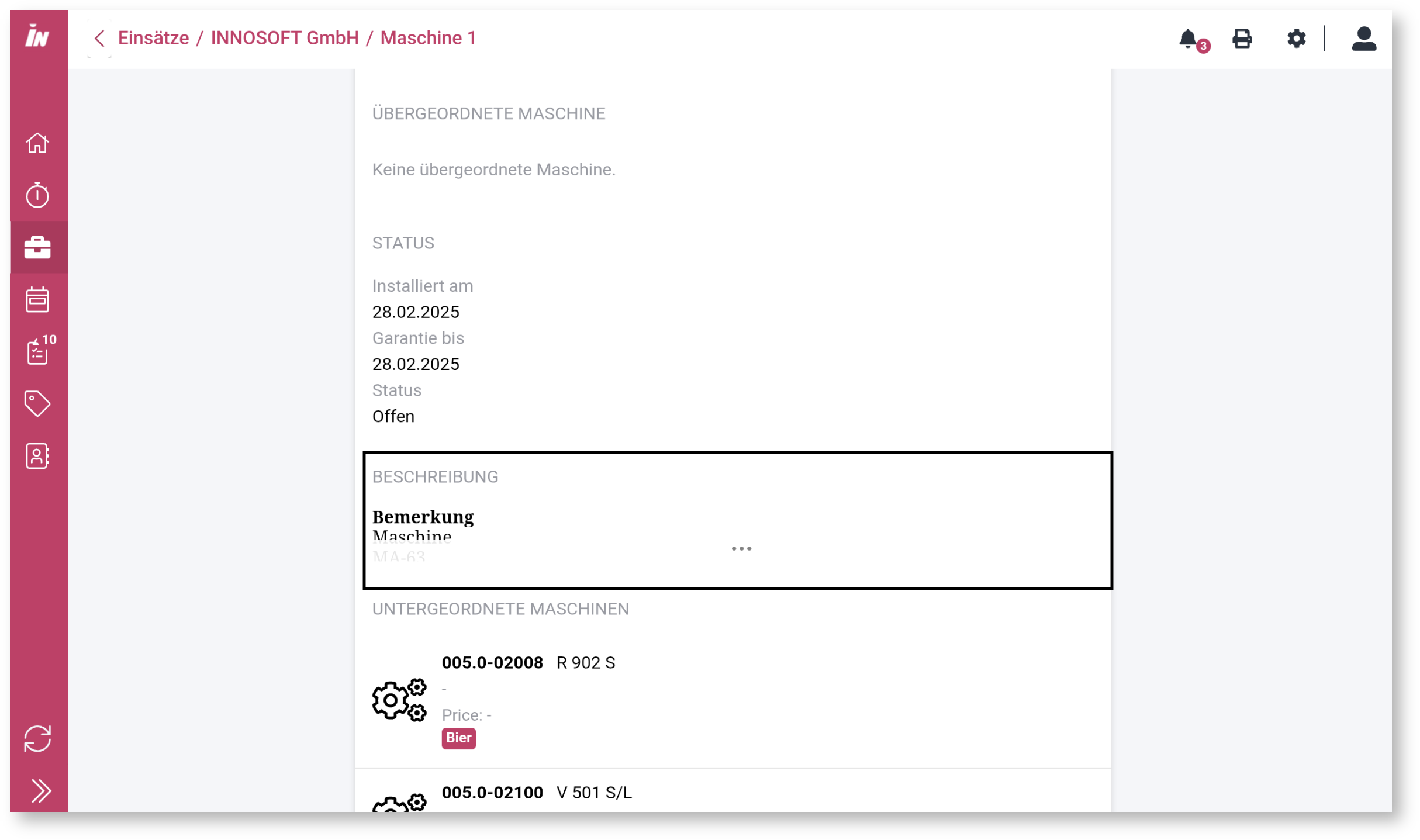
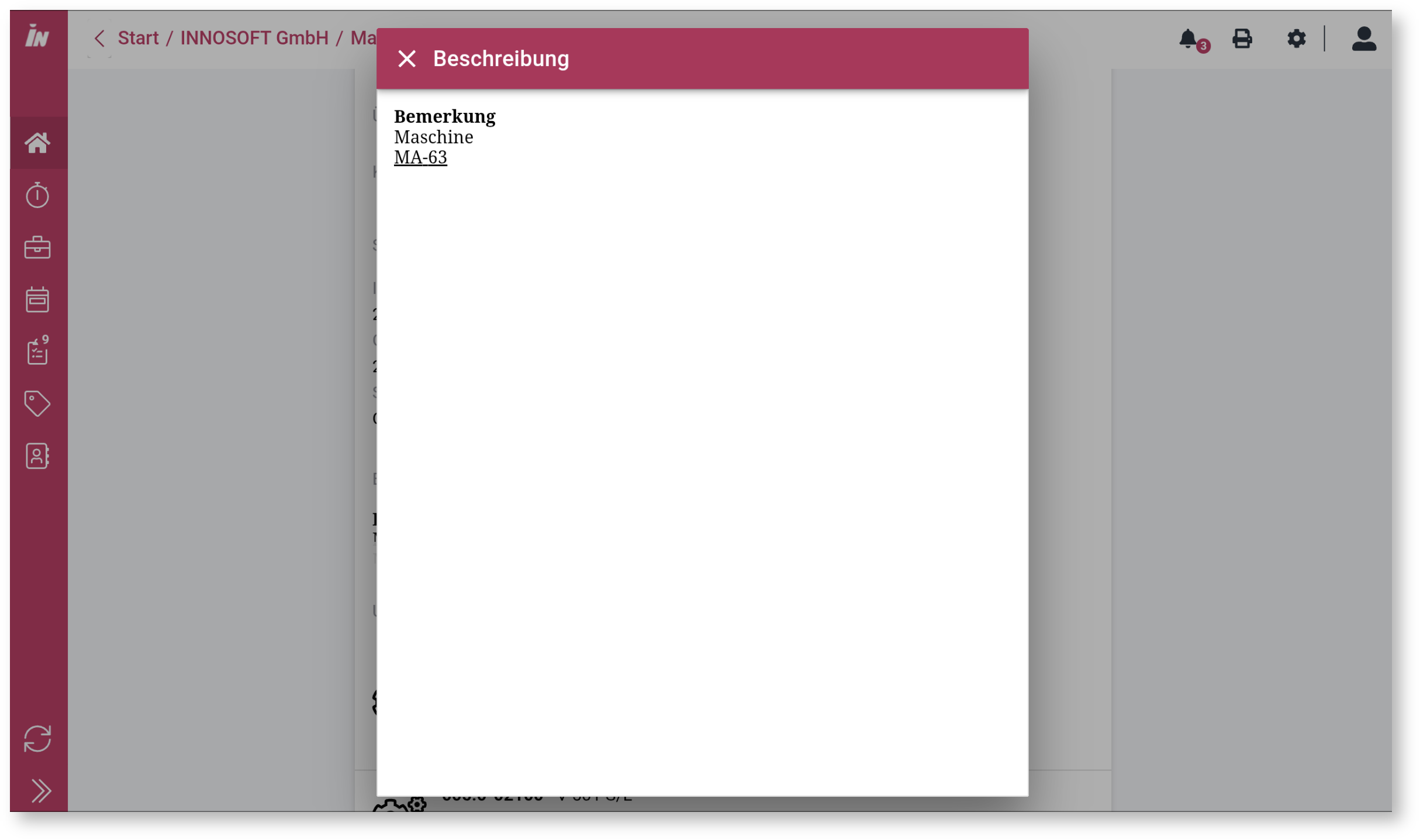
Editor
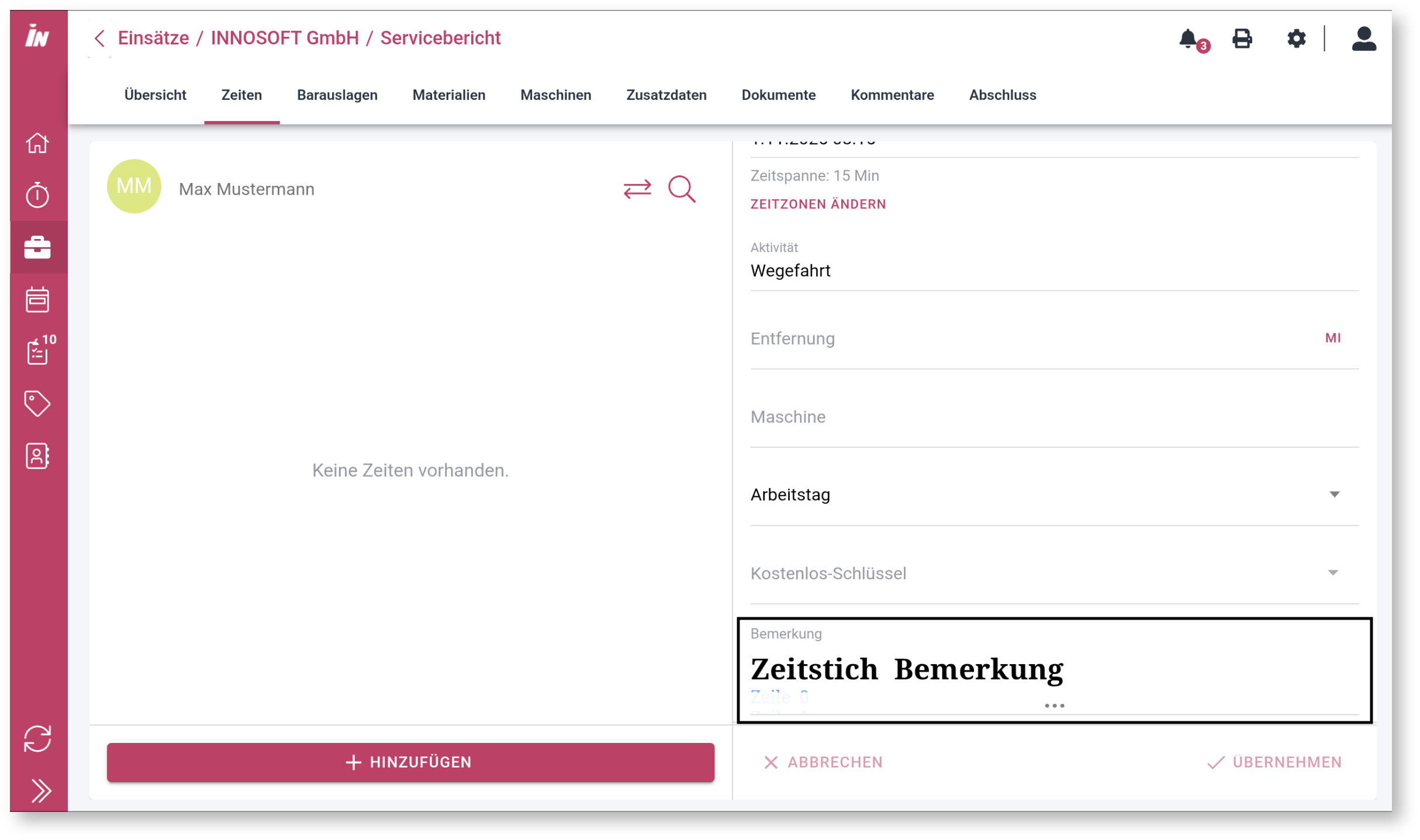
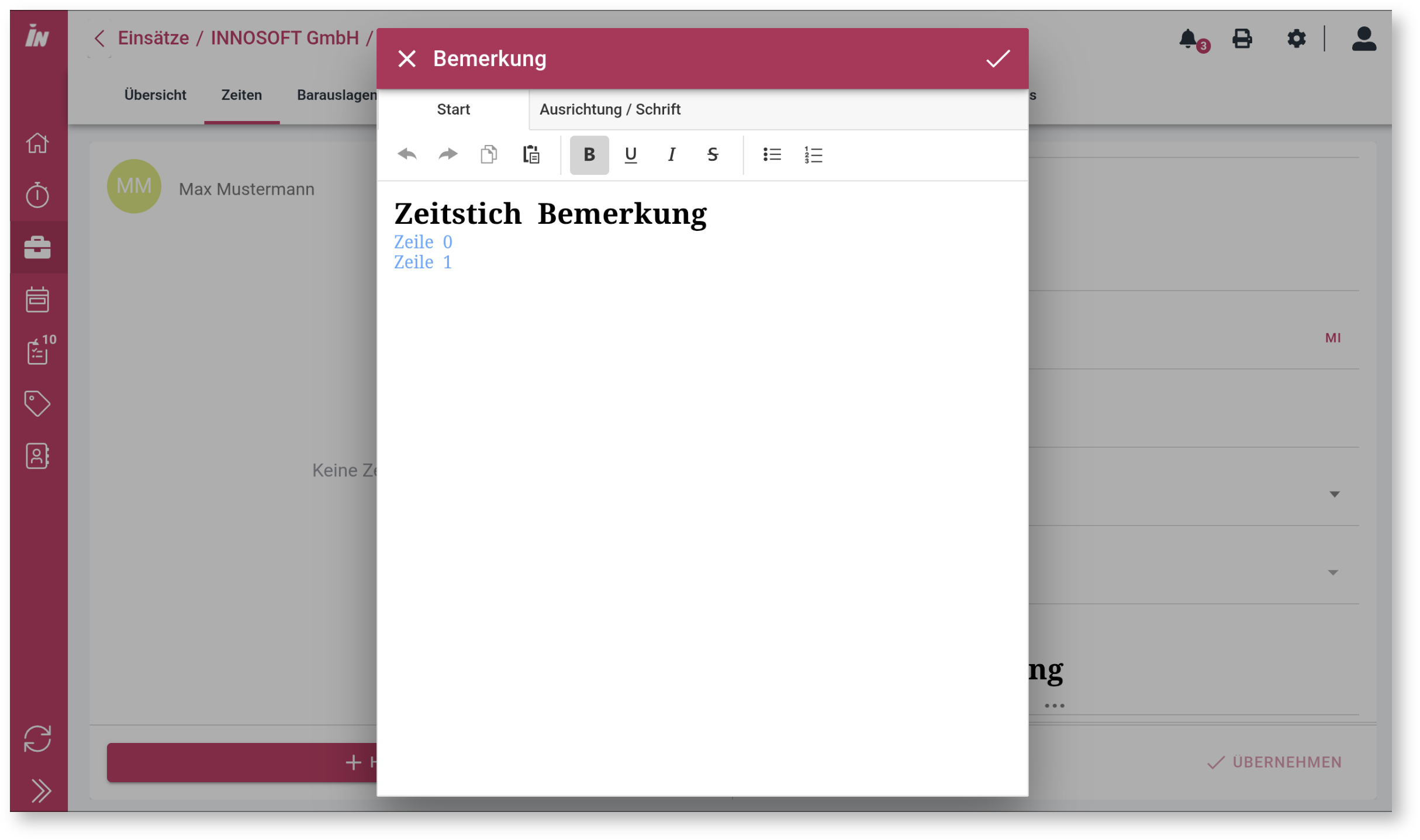
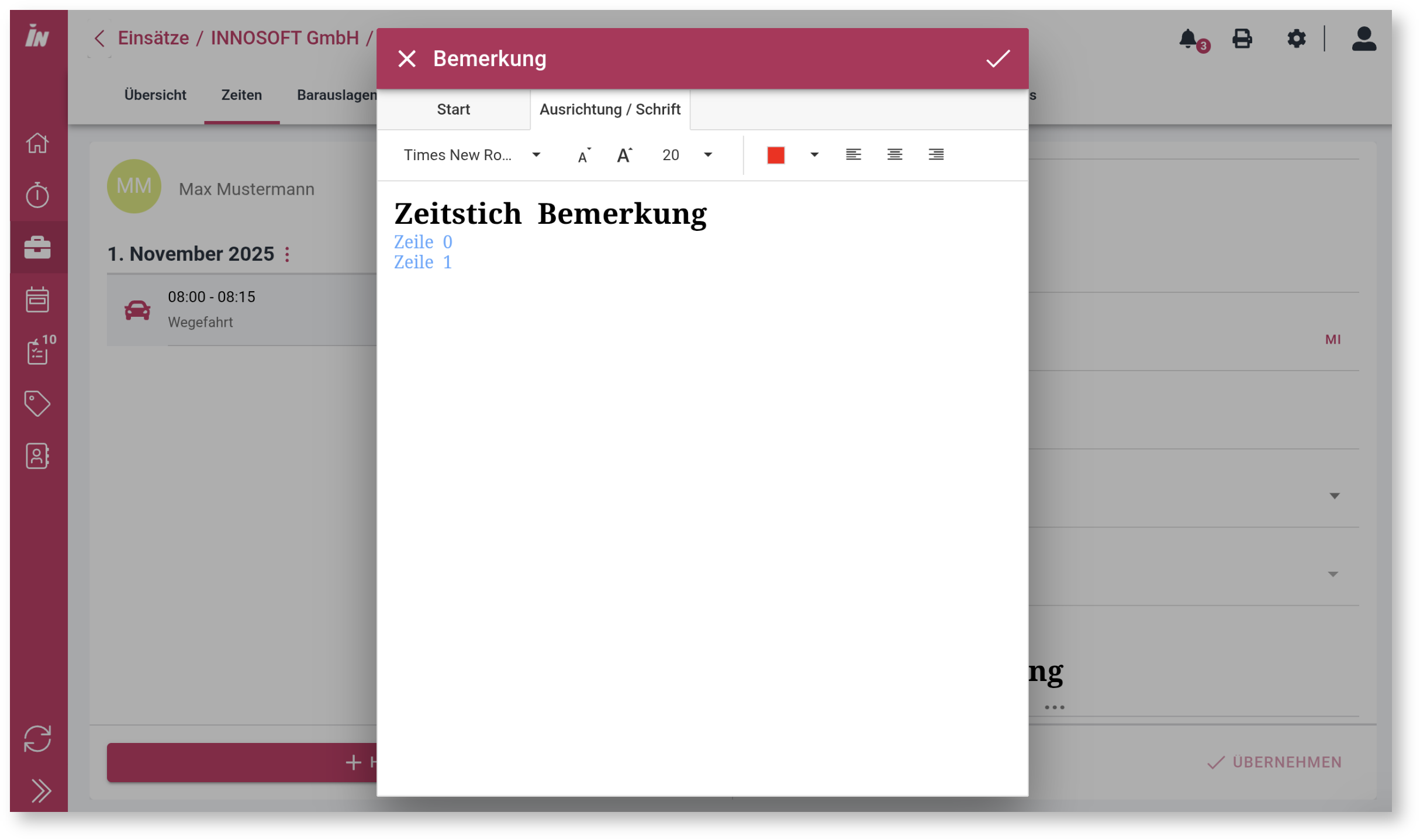
The functionality of the editor is reduced to basic functions. We use the RichEdit component from devexpress: https://demos.devexpress.com/aspnetcore/Demo/RichEdit/Overview/. The demo shows that the component can do more than we offer. The range of functions is significantly limited to ensure comfortable use on smartphones. This minimum has been agreed upon for all screen sizes and operating systems.
Activation and configuration
Requirements
App v. 2.8.0
App Server v. 2.8.0
FSM v. 2.4.0
Printservice v 6.12.10009.3144 (Updating the RichText component and transferring RichText comments when creating documents)
Classic: Not supported
Standard fields and default font/size
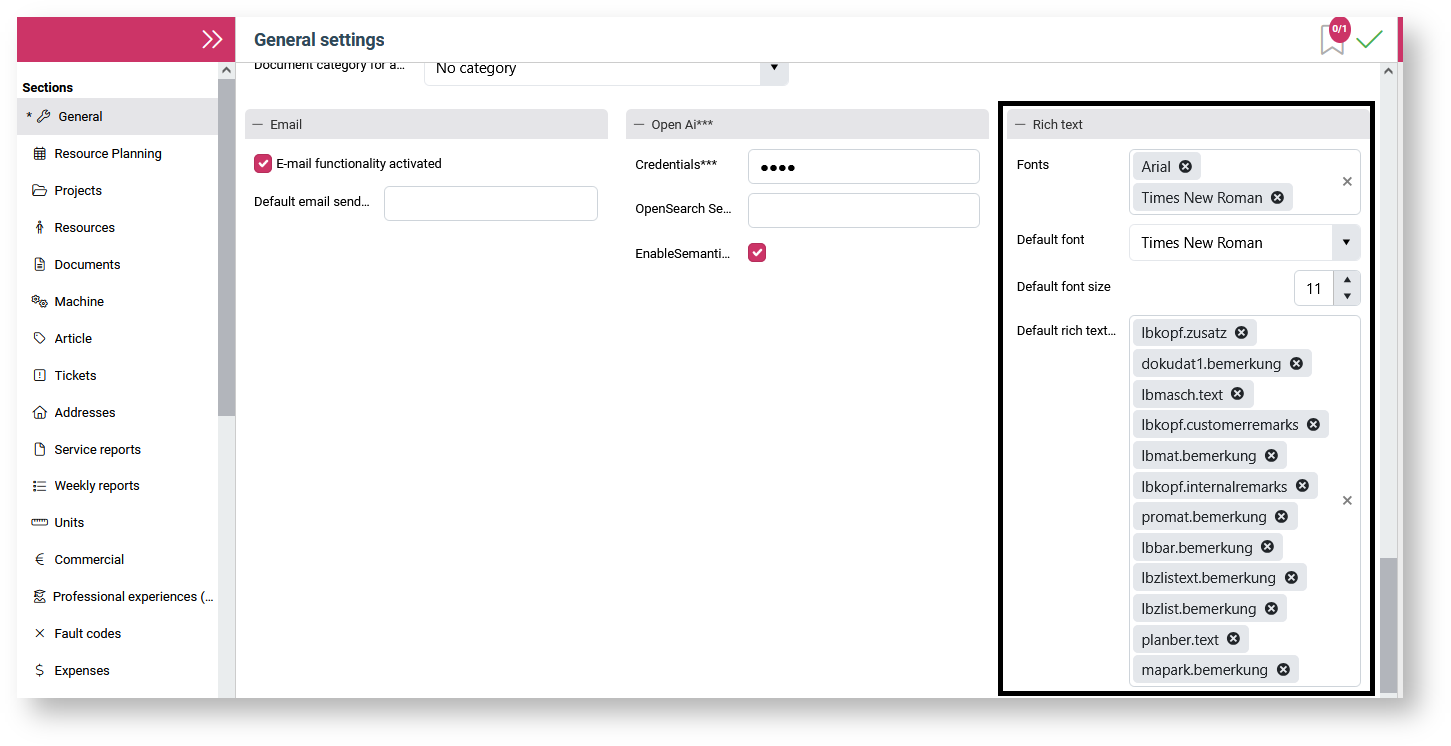
The RichText configuration can be set in the General Settings of the FSM.
Additional data
Additional data fields can also contain rich text. RTF additional data fields are represented as a separate additional data type (selection type = 170). Fields of this type can be added using FSM individual field editing.
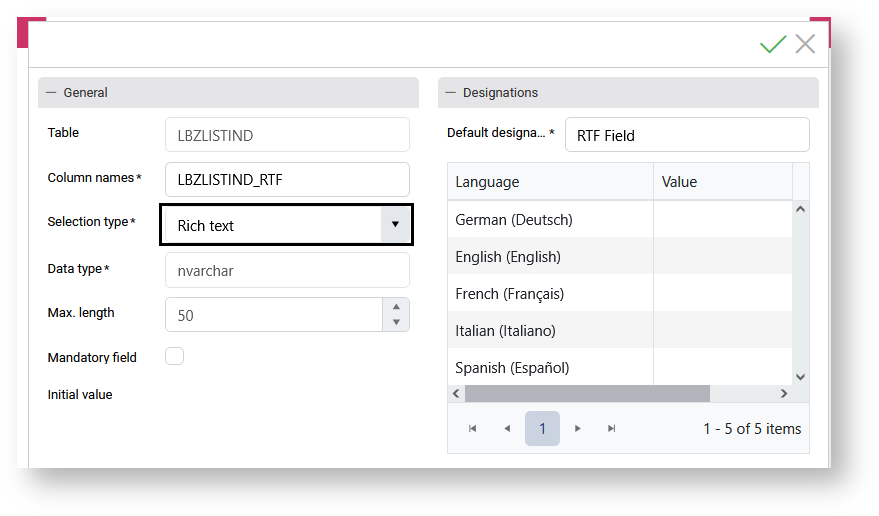
In order for the fields to be displayed in the app, they must be added to the CustomData view of the Admin Console for display in the app.
Supported fields
Standard fields
|
Type |
Table + Field |
APP |
FSM |
|
Assignment |
planber.text |
supported |
supported |
|
Service report |
lbkopf.zusatz |
supported |
supported |
|
Service report |
lbkopf.customerremarks |
supported |
supported |
|
Service report |
lbkopf.internalremarks |
supported |
supported |
|
Service report |
lbzlist.bemerkung |
supported |
supported |
|
Service report |
lbzlistext.bemerkung |
supported |
supported |
|
Service report |
lbbar.bemerkung |
supported |
supported |
|
Service report |
lbmat.bemerkung |
supported |
supported |
|
Service report |
lbmasch.text |
supported |
supported |
|
Weekly report |
lbkopf.internalremarks |
supported |
planned |
|
Weekly report |
lbzlist.bemerkung |
supported |
planned |
|
Document |
dokudat1.bemerkung |
supported |
supported |
|
Machine |
mapark.bemerkung |
supported |
supported |
|
Ticket |
prokommentar.text |
supported |
planned |
|
Ticket |
promat.bemerkung |
supported |
supported |
Additional data
The app supports rich text in additional data for all entities that support additional data. Rich text is not implemented for all entities in the FSM.
Print templates
The additional text for a signature is not currently supported.
Technical reports
A RichText response type is planned but not yet implemented. However, RichTexts can already be stored for documents in reports.
Technical details
Storage of standard fields
Text in RichText format is stored in a separate table. The RTF text is stored in the RICH_TEXT table and assigned to a target field (e.g., LLBZLIST.BEMERKUNG) and specific data record using RICH_TEXT_RELATION as a link table. It is defined that a RICH_TEXT data record may only be assigned to one target field and target data record. Multiple assignments are not permitted.
For compatibility reasons, plain text without formatting continues to be written in existing text fields (target fields) such as LBZLIST.BEMERKUNG. Field lengths of the target fields are not taken into account. If the field length is not sufficient for the plain text extracted from the RichText, it is shortened to the field length. Writing applications such as APP server and FSM keep the tables synchronized. There is no mechanism implemented via triggers on the database.
The RICH_TEXT table contains both rich text (RICH_TEXT_DATA) and plain text (PLAIN_TEXT). For example, if a time stamp is created without a comment, no data records are inserted into the RichText table structure. If existing RichText is deleted or changed to empty text, the data records remain in the RichText table structure. In this case, RICH_TEXT_DATA and PLAIN_TEXT would be changed to null and RICH_TEXT_SHA1_HEX to the sha1 hex value resulting from an empty byte array. This means that in the case of empty text, the applications involved do not write an empty RTF document with format information, but rather null values.
Storage of additional data fields
Rich texts for additional data are also stored in the RICH_TEXT table. In the IND table, the ID from RICH_TEXT.ID is stored as a foreign primary key.
Tables
RICH_TEXT
|
Field |
Data type |
Comment |
|
ID |
nvarchar(50) |
Guid as primary key. Referenced in RICH_TEXT_RELATION,
Important: A RICH_TEXT record may only be assigned to one target field
|
|
LAST_CHANGED_LOGIN |
nvarchar(12) |
Change login |
|
LAST_CHANGED_UTC |
DateTime |
Change date in UTC |
|
LAST_CHANGED_OFFSET_IN_MINUTES |
Integer |
Offset shift of the change date LAST_CHANGED_UTC in minutes. For example, 120 for +02:00 (CEST). |
|
RICH_TEXT_DATA |
ByteArray, nullable |
Binary RichText file content (RTF format). The RICH_TEXT_SHA1_HEX column must be updated with each update! Null represents an RTF document with no content. |
|
PLAIN_TEXT |
nvarchar(max), nullable |
The content extracted from the RichText. Null represents an RTF document with no content and should be persisted instead of "". |
|
RICH_TEXT_SHA1_HEX |
nvarchar(40) |
A SHA1 hash value calculated from RICH_TEXT_DATA. https://de.wikipedia.org/wiki/Secure_Hash_Algorithm If the value in RICH_TEXT_DATA is null, i.e., there is empty text, the SHA1 hex value resulting from an empty byte array is written. The hex value contains the characters a-f as lowercase letters and no leading 0x prefix! Example: da39a3ee5e6b4b0d3255bfef95601890afd80709 |
RICH_TEXT_RELATION
This table is intended to supplement rich text to existing plain text properties/columns. One example is the LBKOPF.CUSTOMERREMARKS field, which contains the customer comment as plain text for a receipt. If the application software captures the customer comment as rich text for new data, the rich text content is written to the RICH_TEXT table and linked to the target document and the customer comment property (CUSTOMERREMARKS) via the RICH_TEXT_RELATION table. The software writes a cleaned plain text back to the original LBKOPF.CUSTOMERREMARKS. When reading, the linked rich text via RICH_TEXT_RELATION is given preference over the original field. If no rich text is available, the plain text from the original field is displayed. This has the following advantages:
Legacy data without RichText can be read without data migration.
No schema adjustment of the target tables is necessary, e.g., no new field LBKOPF.CUSTOMERREMARKSRICHTEXTID is required.
|
Field |
Data type |
Comment |
|
TARGET_TABLE |
nvarchar(50) |
Table name: e.g., "LBKOPF". For consistency reasons, always in UPPERCASE! Caution: For the target field PLANBER.TEXT, "PLANUNG" is entered in this column and "PLANBER.TEXT" in the RELATION_NAME field. This is done to make it clear that the column RICH_TEXT_ISGUID refers to PLANUNG.ISGUID. |
|
TARGET_ISGUID |
nvarchar(50) |
Reference to ISGUID in TARGET_TABLE: e.g., LBKOPF.ISGUID |
|
RELATION_NAME |
nvarchar(50) |
Reference to the field in the table: e.g., "ADDITIONAL", "CUSTOMERREMARKS" or "INTERNALREMARKS" (column names from LBKOPF). Special case: "PLANBER.TEXT", see note on TARGET_TABLE. |
|
RICH_TEXT_ID |
nvarchar(50) |
Foreign primary key RICH_TEXT.ID |
RICH_TEXT_TRANSLATIONS
Rich texts can be stored in this table depending on the language. This is currently used for the signature texts in the report definitions.
|
Field |
Data type |
Comment |
|
ID |
nvarchar(50) |
Partial primary key (Guid) |
|
LANGUAGE_CODE |
nvarchar(10) |
Partial primary key.
|
|
RICH_TEXT_ID |
nvarchar(50) |
Foreign primary key for table RICH_TEXT |
Example SQLs
RichText for standard field MAPARK.BEMERKUNG
-- Target parameterDECLARE @targetTable nvarchar(50) = N'MAPARK';DECLARE @relationName nvarchar(50) = N'BEMERKUNG';DECLARE @targetIsguid nvarchar(50) = N'ca691ce9-a550-48df-bfab-097c018226cf'; -- enter a valid Isguid from MAPARK.ISGUID-- RichText dataDECLARE @richTextId nvarchar(50) = CAST(NEWID() as nvarchar(50));DECLARE @sampleRichText varbinary(max) = 0x7b5c727466315c64656666307b5c666f6e7474626c7b5c66302043616c696272693b7d7d7b5c636f6c6f7274626c203b5c726564305c677265656e305c626c7565323535203b7d7b5c2a5c646566636870205c667332327d7b5c7374796c657368656574207b5c716c5c66733232204e6f726d616c3b7d7b5c2a5c6373315c667332322044656661756c742050617261677261706820466f6e743b7d7b5c2a5c6373325c756c5c667332325c6366312048797065726c696e6b3b7d7b5c2a5c7473335c7473726f77645c667332325c716c5c747270616464666c335c7472706164646c3130385c7472706164646672335c747270616464723130385c747376657274616c745c636c74786c727462204e6f726d616c205461626c653b7d7d7b5c2a5c6c6973746f766572726964657461626c657d7b5c696e666f7d5c6e6f7569636f6d7061745c73706c7974776e696e655c68746d61757473705c657870736872746e5c73706c7470677061725c6465667461623732305c73656374645c6d6172676c73786e313434305c6d6172677273786e313434305c6d6172677473786e313434305c6d6172676273786e313434305c686561646572793732305c666f6f746572793732305c70677773786e31323234305c70676873786e31353834305c636f6c73315c636f6c73783732305c706172645c706c61696e5c716c7b5c667332325c6366302048656c6c6f2c207d7b5c625c667332325c63663020576f726c647d7b5c667332325c63663020217d5c667332325c6366305c7061727d;DECLARE @sampleRichTextSha1Hex nvarchar(40) = N'3bc5e2d730c1c6564dea87c8bd75c9828c2e9b78';DECLARE @samplePlainText nvarchar(100) = N'Hello, World!';-- Meta informationDECLARE @lastChangedPwuserName nvarchar(12) = N'test'; -- enter a value contained in pwuser.nameDECLARE @lastChanged datetimeoffset = SYSDATETIMEOFFSET();DECLARE @lastChangedOffsetMinutes int = DATEPART(tzoffset, @lastChanged);DECLARE @lastChangedUtc datetime = CONVERT(datetime2, @lastChanged, 1);INSERT INTO Rich_Text( Id, Rich_Text_Data, Rich_Text_Sha1_Hex, Plain_Text, Last_Changed_Utc, Last_Changed_Offset_In_Minutes, Last_Changed_Login)VALUES (@richTextId, @sampleRichText, @sampleRichTextSha1Hex, @samplePlainText, @lastChangedUtc , @lastChangedOffsetMinutes , @lastChangedPwuserName);INSERT INTO Rich_Text_Relation ( Target_Table, Relation_Name, Target_IsGuid, Rich_Text_Id)VALUES (@targetTable, @relationName, @targetIsguid, @richTextId);UPDATE MAPARK SET BEMERKUNG = LEFT(@samplePlainText, 33) WHERE ISGUID = @targetIsguid; -- Alternativ INSERTRichText for additional data field PLIND.PLIND_ZUSATZ_RT_ID
Create field in PLIND and PLSTEUER
ALTER TABLE PLIND ADD PLIND_ZUSATZ_RT_ID NVARCHAR(50);INSERT INTO PLSTEUER (BEZEICHNUNG, AUSWAHLTYP) VALUES (N'PLIND_ZUSATZ_RT_ID', 170);-- add english as default field label and german as translationINSERT INTO PLTRANSLATE (TABELLE, FELD, BEZEICHNUNG) VALUES (N'PLIND', N'PLIND_ZUSATZ_RT_ID', N'Additional remark');INSERT INTO PLTRANSLATELANG (TABELLE, FELD, SPRACHE, BEZEICHNUNG) VALUES (N'PLIND', N'PLIND_ZUSATZ_RT_ID', 0, N'Zusätzliche Bemerkung');Fill field with RichText
-- Target parameterDECLARE @projnr nvarchar(20) = N'PROJNR-0001'; -- enter a valid PROJNRDECLARE @pindex int = 1; -- enter a valid PINDEX-- RichText dataDECLARE @richTextId nvarchar(50) = CAST(NEWID() as nvarchar(50));DECLARE @sampleRichText varbinary(max) = 0x7b5c727466315c64656666307b5c666f6e7474626c7b5c66302043616c696272693b7d7d7b5c636f6c6f7274626c203b5c726564305c677265656e305c626c7565323535203b7d7b5c2a5c646566636870205c667332327d7b5c7374796c657368656574207b5c716c5c66733232204e6f726d616c3b7d7b5c2a5c6373315c667332322044656661756c742050617261677261706820466f6e743b7d7b5c2a5c6373325c756c5c667332325c6366312048797065726c696e6b3b7d7b5c2a5c7473335c7473726f77645c667332325c716c5c747270616464666c335c7472706164646c3130385c7472706164646672335c747270616464723130385c747376657274616c745c636c74786c727462204e6f726d616c205461626c653b7d7d7b5c2a5c6c6973746f766572726964657461626c657d7b5c696e666f7d5c6e6f7569636f6d7061745c73706c7974776e696e655c68746d61757473705c657870736872746e5c73706c7470677061725c6465667461623732305c73656374645c6d6172676c73786e313434305c6d6172677273786e313434305c6d6172677473786e313434305c6d6172676273786e313434305c686561646572793732305c666f6f746572793732305c70677773786e31323234305c70676873786e31353834305c636f6c73315c636f6c73783732305c706172645c706c61696e5c716c7b5c667332325c6366302048656c6c6f2c207d7b5c625c667332325c63663020576f726c647d7b5c667332325c63663020217d5c667332325c6366305c7061727d;DECLARE @sampleRichTextSha1Hex nvarchar(40) = N'3bc5e2d730c1c6564dea87c8bd75c9828c2e9b78';DECLARE @samplePlainText nvarchar(100) = N'Hello, World!';-- Meta informationDECLARE @lastChangedPwuserName nvarchar(12) = N'test'; -- enter a value contained in pwuser.nameDECLARE @lastChanged datetimeoffset = SYSDATETIMEOFFSET();DECLARE @lastChangedOffsetMinutes int = DATEPART(tzoffset, @lastChanged);DECLARE @lastChangedUtc datetime = CONVERT(datetime2, @lastChanged, 1);INSERT INTO Rich_Text( Id, Rich_Text_Data, Rich_Text_Sha1_Hex, Plain_Text, Last_Changed_Utc, Last_Changed_Offset_In_Minutes, Last_Changed_Login)VALUES (@richTextId, @sampleRichText, @sampleRichTextSha1Hex, @samplePlainText, @lastChangedUtc, @lastChangedOffsetMinutes, @lastChangedPwuserName);MERGE PLIND AS targetUSING (VALUES (@projnr, @pindex, @richTextId)) as source (projnr, pindex, richTextId) ON target.projnr = source.projnr AND target.pindex = source.pindexWHEN MATCHED THEN UPDATE SET PLIND_ZUSATZ_RT_ID = source.richTextIdWHEN NOT MATCHED THEN INSERT (PROJNR, PINDEX, PLIND_ZUSATZ_RT_ID) VALUES (source.projnr, source.pindex, source.richTextId);