Cash Expenses: Setting up AI-based Value transfer from photographed Receipts
This article contains a brief description of how to set up Azure Document Intelligence and configure it in the App Server so that the cash expense form in the Mobile App can extract the values from the photographed receipts and pre-fill the form.
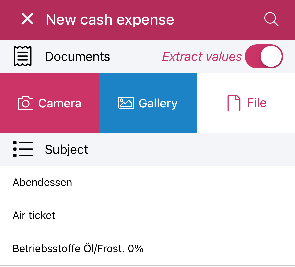
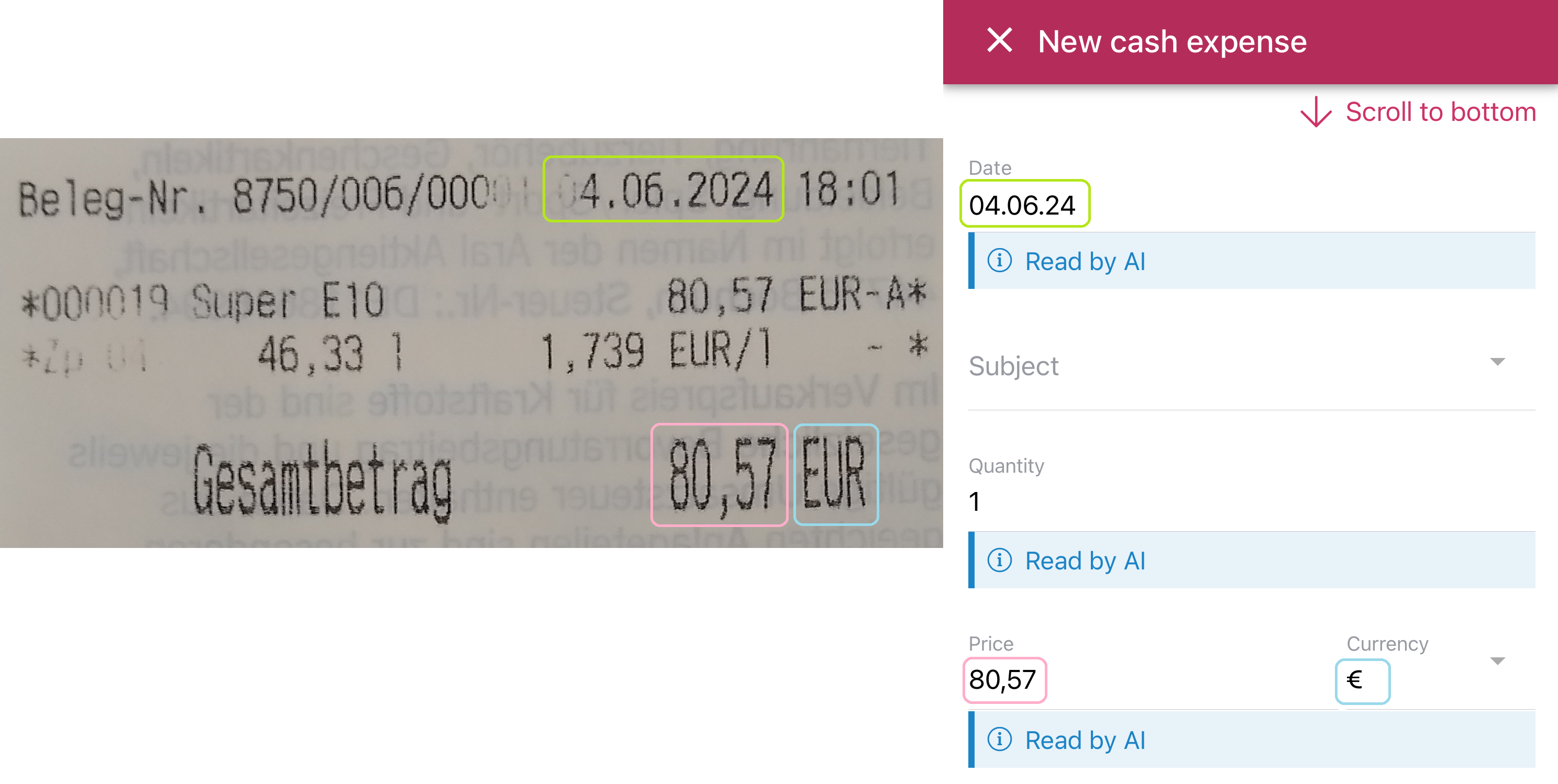
Technically, the technician starts the cash expenditure recording with a picture of the receipt. This image is forwarded to Azure Document Intelligence via the App Server (online access required). After a few seconds, the Azure service delivers relevant values, which are pre-filled in the form.
To add multiple cash expenses, we recommend importing all receipts directly into the cash expense creation dialog (either via the gallery or file). The technician is then guided step by step through the creation of the individual cash expenses. The app can upload multiple images in parallel with the AI analysis in the background, significantly reducing the waiting time for results in the subsequent cash expense forms.
Azure configuration
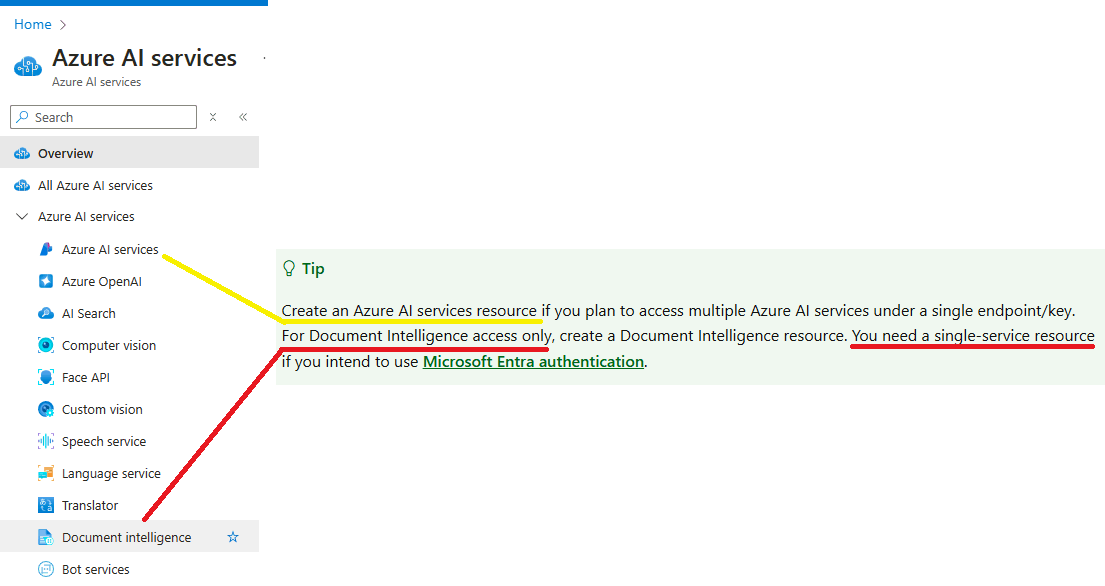
Create a resource. Either the all-inclusive "Azure AI services" or the separate "Document intelligence":
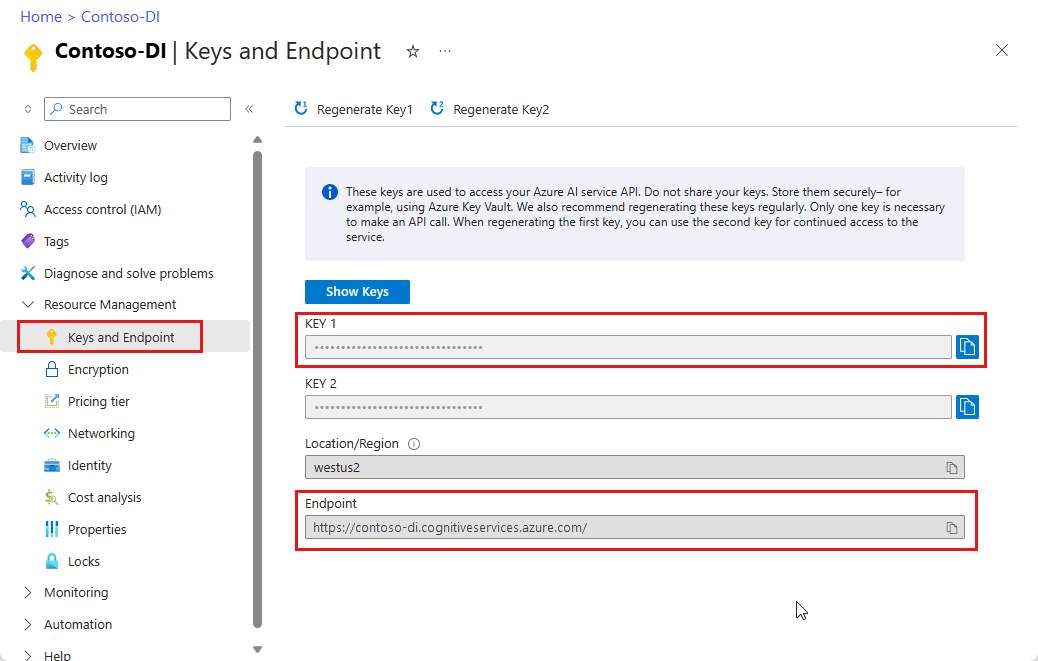
Take the "KEY" and "Endpoint" from the created resource. These must be stored in the App Server in the next step.
App Server configuration
Customization > General > Cash expense from image:
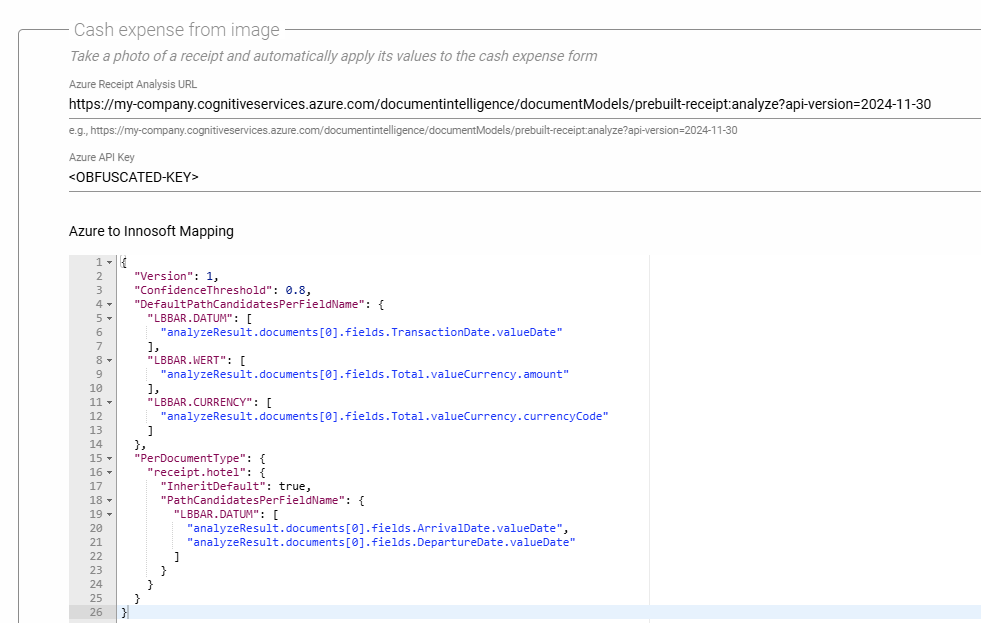
URL: "{endpoint}/documentintelligence/documentModels/prebuilt-receipt:analyze?api-version=2024-11-30".
Mapping:
ConfidenceThreshhold 0.8: The AI must be at least 80% certain of the values it reads. Otherwise, the values are ignored and must be entered manually in the form.
All fields offered by Azure can be found here: https://github.com/Azure-Samples/document-intelligence-code-samples/blob/main/schema/2024-11-30-ga/receipt.md
Ensure the correct API version (2024-11-30-ga)
Prefer standardized fields such as "valueNumber", "valueCurrency", and "valueDate" instead of "content". This prevents localization problems and facilitates processing.
The Innosoft field names correspond to the database fields. Supported are "LBBAR.DATE", "LBBAR.VALUE", "LBBAR.TKK", "LBBAR.CURRENCY", and all LBBARIND.[XYZ].
"DefaultCandidatesPerFieldName": For repetitive/consistent fields
"PerDocumentType": Some fields only exist for specific document types. For example, "ArrivalDate" for "receipt.hotel".
If more than one path is specified, they will be tried one after the other until one returns a value (fallback).
"InheritDefault": Takes "DefaultCandidatesPerFieldName" as a basis and supplements/overwrites the specific definitions.
documents[0]: It is assumed that an image contains no more than one receipt.
See also: