Transferring additional Materials to the App
By default, the App Server only transfers the necessary materials. These are based on the pre-planned materials and the materials that have actually been recorded.
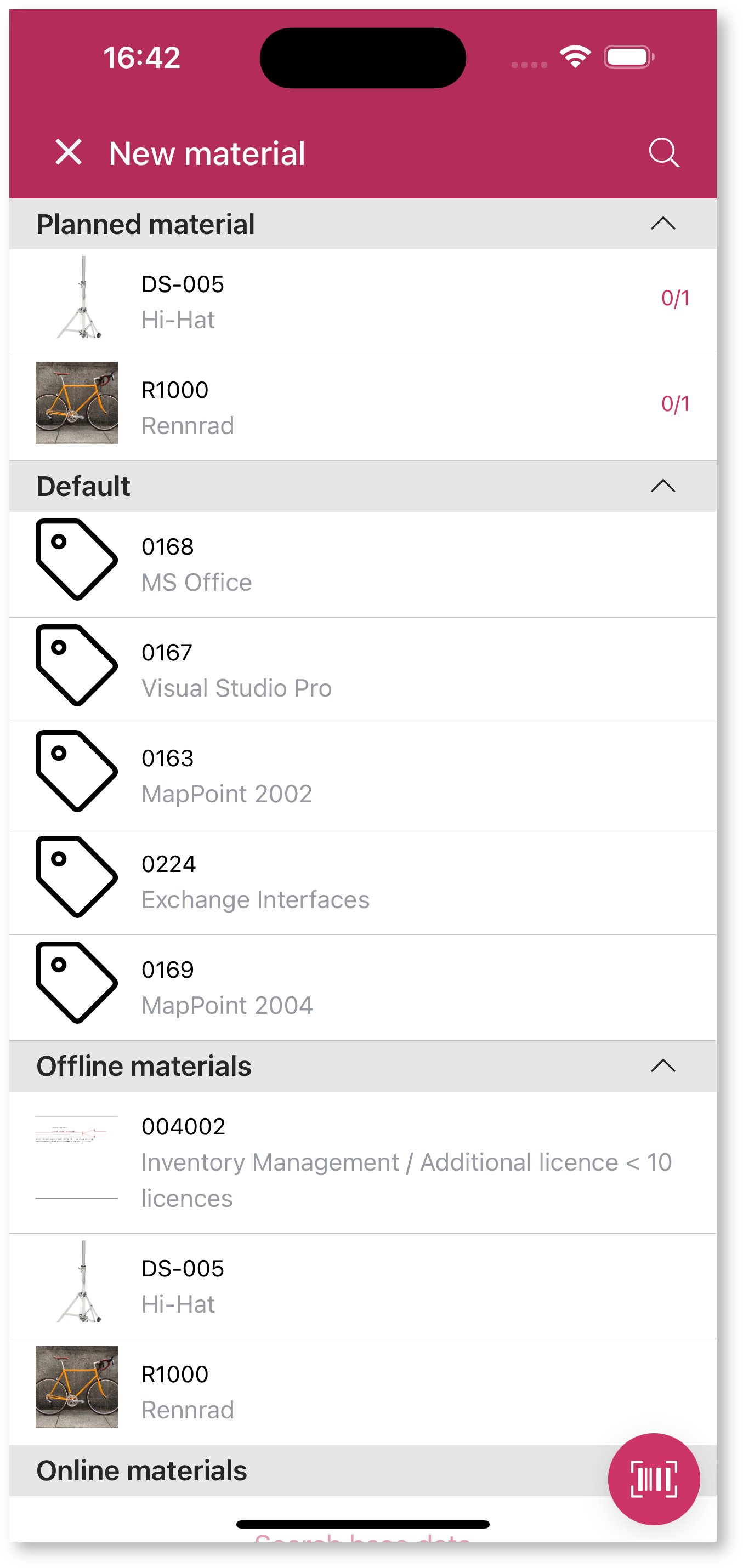
In the service report within the Mobile App, the technician can add a material by clicking the  or
or  button. All materials available on the app are available for this purpose. For some materials, it may be useful to transfer them to the app by default so that they do not have to be pre-planned in the assignment or project if necessary.
Definition of UDF
The App Server checks once at startup whether a UDF with the name "UDF_CUS_APP_DEFAULT_SPARE_PARTS" exists and whether the parameters of the UDF are compatible. The UDF defines a list of ARTNRs. The App Server executes this UDF in every data transfer and also transfers the current materials for the ArtNrs to the app, provided they are not already available on the app.
The UDF is only checked when starting up. If you create or remove the UDF or change the parameter list, you must restart the App Server so that the changed UDF is recognized. If you change the implementation (parameter list remains the same), no restart is necessary.
Avoid overly complex SQLs, as the UDF is executed in every data transfer run. You can map more complex relationships using a CUS table, which you can fill using triggers or other mechanisms and then filter and select in the UDF.
The App Server supports the following parameters, all of which are optional:
|
Parameters (optional) |
Data type |
Comment |
|
ogrnr |
int |
Main group ID of the technician |
|
ressnr |
nvarchar(20) |
Resource ID of the technician |
|
stammogrnr |
int |
Master main group ID of the technician |
The returned result set should contain the following columns. In addition, no other columns may be included.
|
Column name |
Data type |
Comment |
|
artnr |
Similar to MATART.ARTNR |
The column must be unique. |
The App Server transfers the materials to the returned ARTNRs.
Example SQLs
The following UDF includes all materials that have specified "license" as the unit. It therefore provides a list of licenses. The "ogrnr", "ressnr", and "Stammogrnr" parameters are not used and serve only to illustrate parameters.
CREATE OR ALTER FUNCTION [dbo].[UDF_CUS_APP_DEFAULT_SPARE_PARTS](@ogrnr int, @ressnr nvarchar(20), @stammogrnr int)RETURNS TABLEAS RETURN ( select ARTNR FROM MATART WHERE EINHEIT = 'Lizenz');Result of this UDF (in test environment)